
xTool Store
Unit switching
Updated Sep 4,2025
Updated Sep 4,2025
- Launch the xTool Studio software.
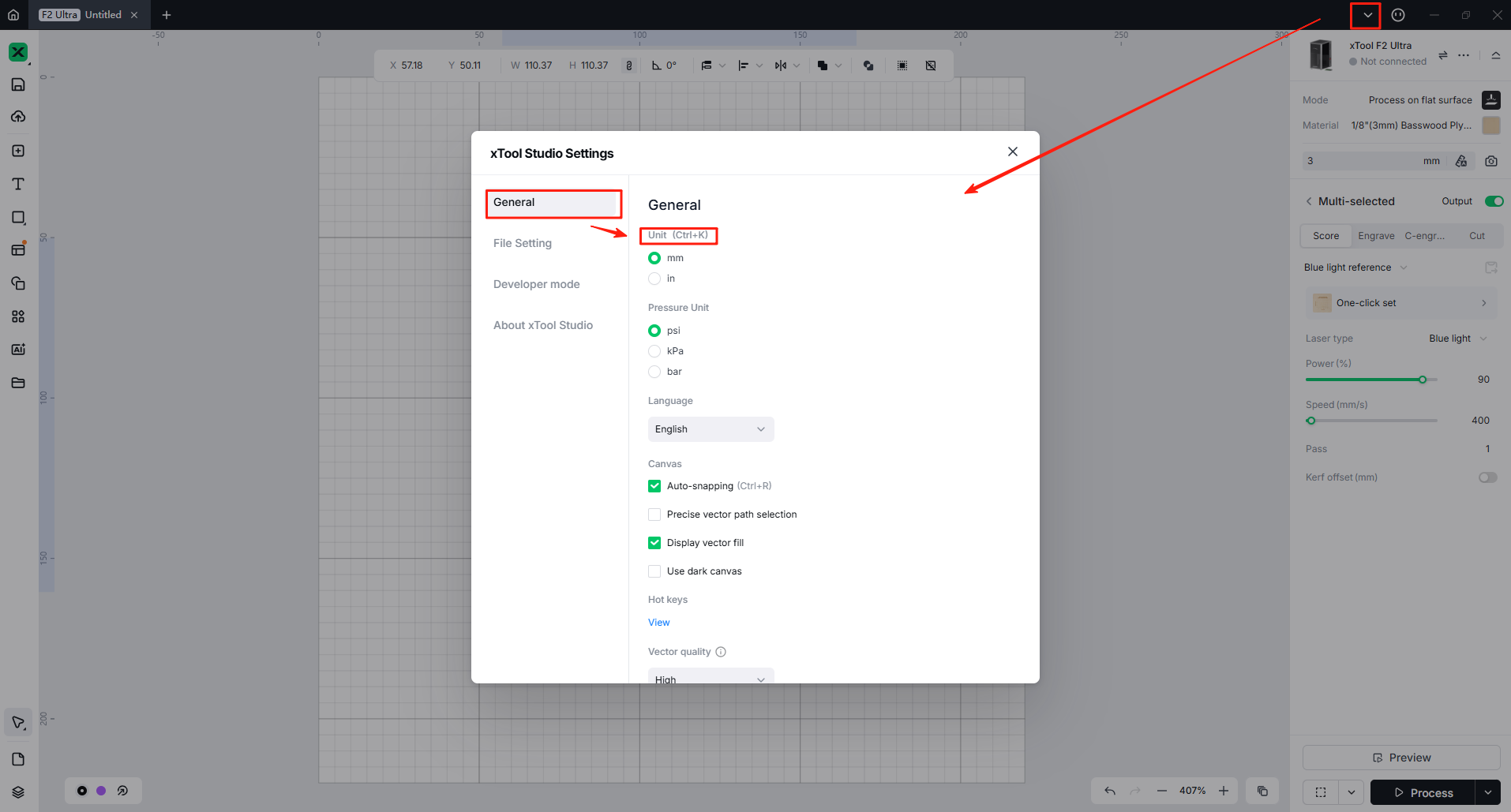
- In the drop-down box at the upper right corner of the software interface, find and click "Settings".
- In "Settings - General Settings", locate the "Unit" option and select the appropriate unit according to your needs. The changes will be saved automatically.
Preview
Was this page helpful?
14 out of 18 found this helpful
Help Ticket
Use this help ticket to submit your issue. We will respond within 1 business day
Submit a Ticket Tags
Help Ticket
Use this help ticket to submit your issue. We will respond within 1 business day
Submit a Ticket 
Services & Help
Learn & Education

Copyright © 2025 xTool All Rights Reserved.