
xTool Store
Export as SVG
Updated Sep 4,2025
Updated Sep 4,2025
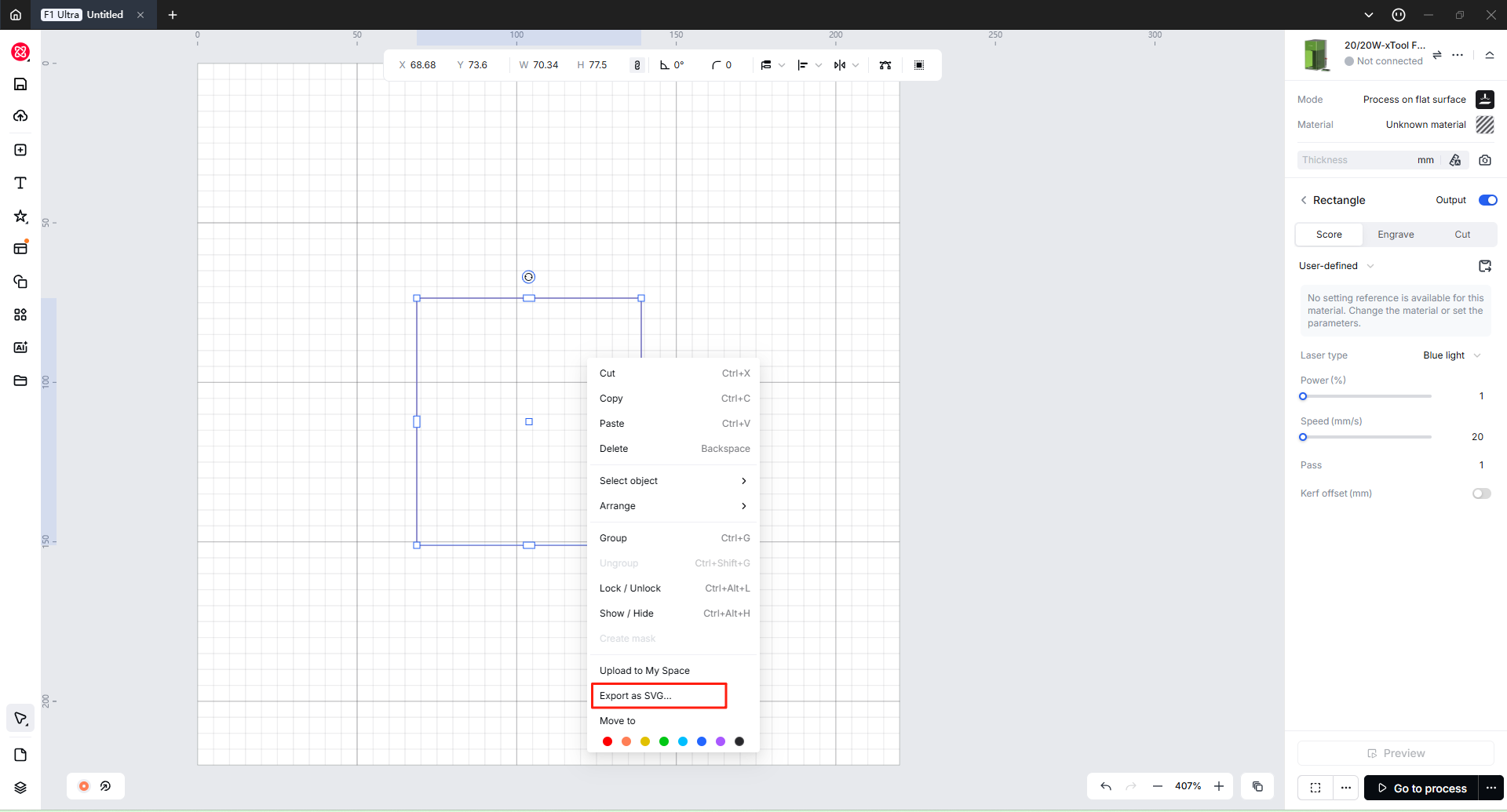
You can export objects in SVG format, which is convenient for cross-software operations.
- Right-click the object you want to export and select "Export as SVG".
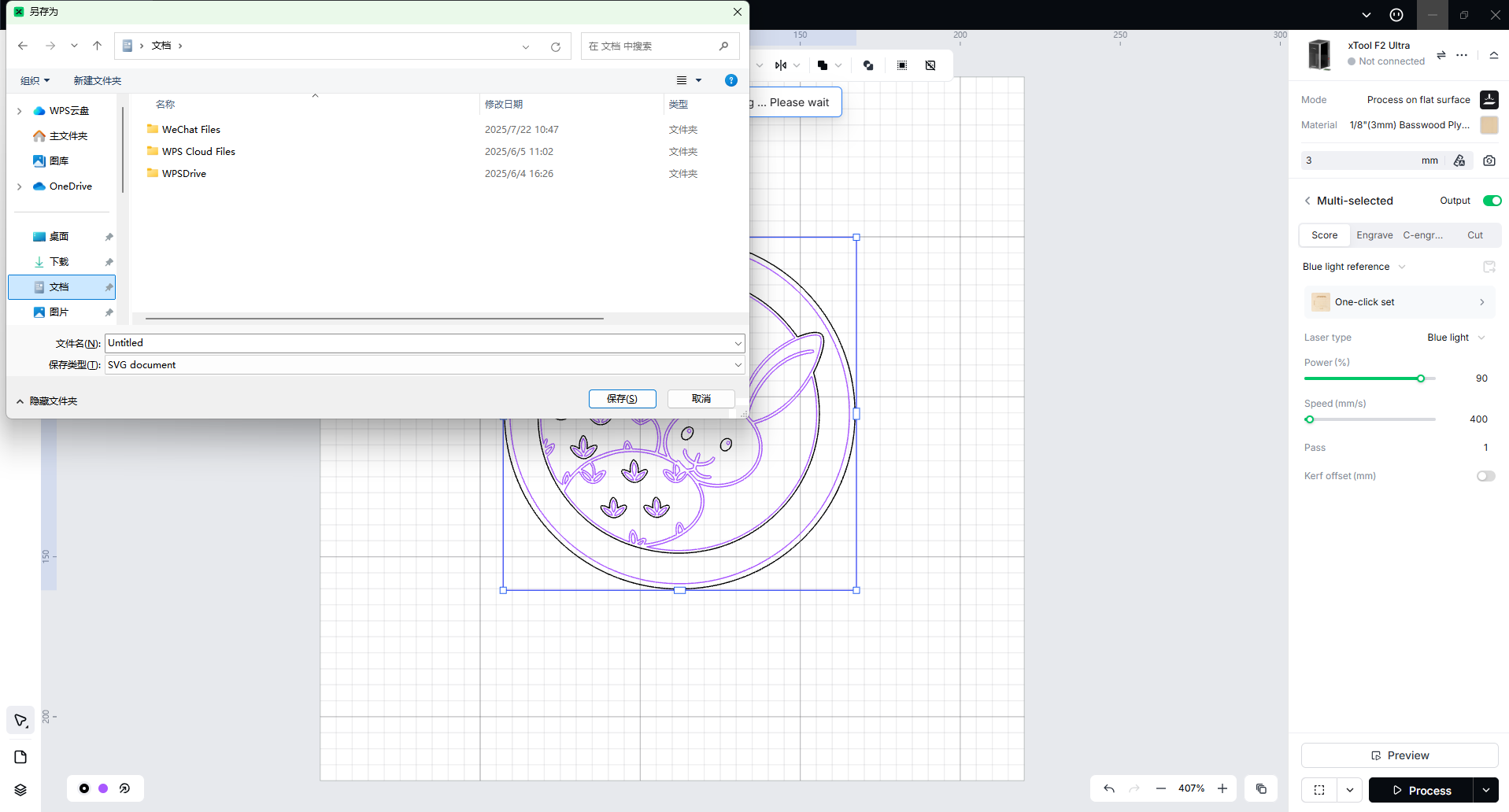
- In the pop-up window, save the SVG file locally as needed.
Preview
Was this page helpful?
18 out of 21 found this helpful
Help Ticket
Use this help ticket to submit your issue. We will respond within 1 business day
Submit a Ticket Tags
Help Ticket
Use this help ticket to submit your issue. We will respond within 1 business day
Submit a Ticket 
Services & Help
Learn & Education

Copyright © 2025 xTool All Rights Reserved.