Create a New Project
Updated Sep 4,2025
Updated Sep 4,2025
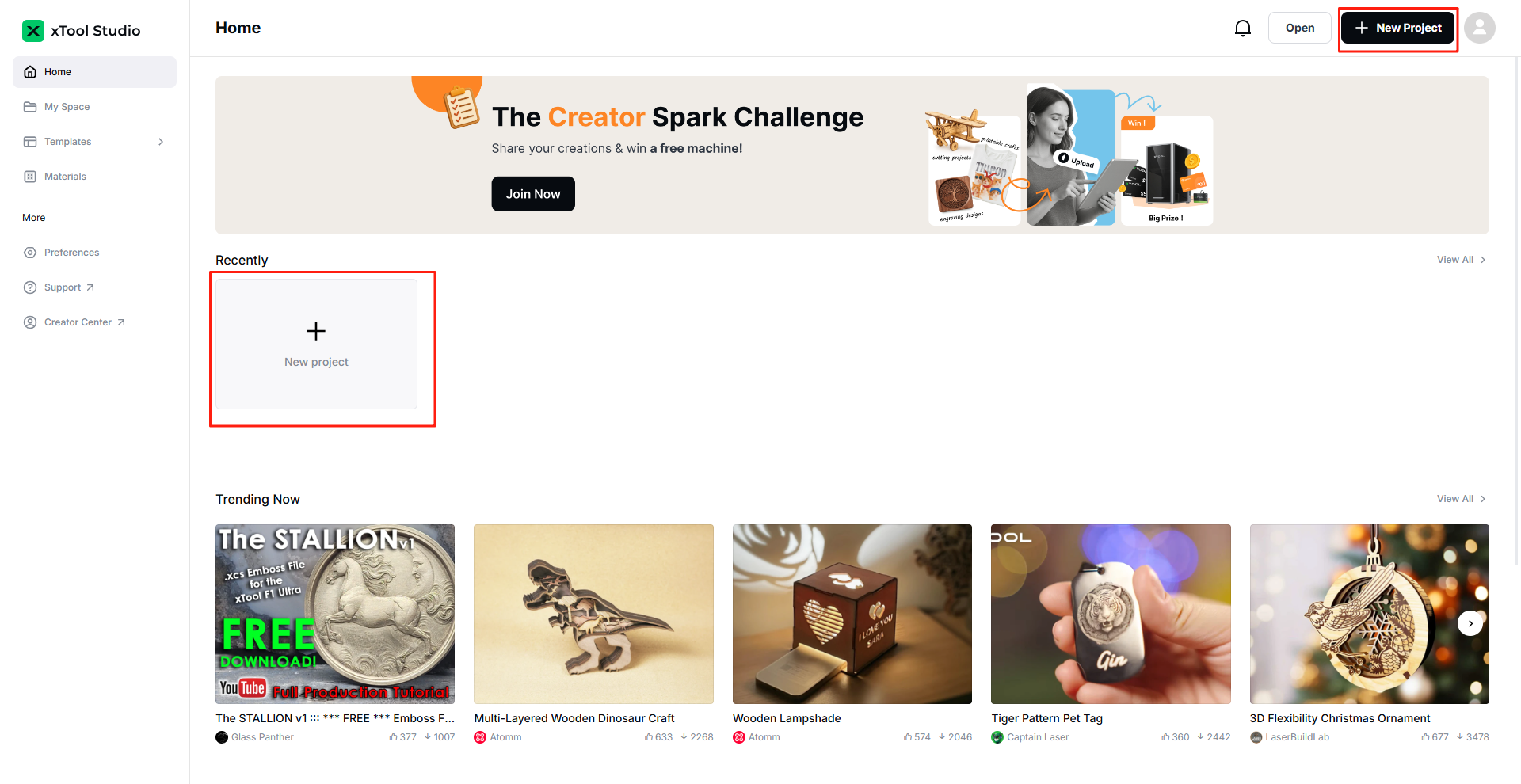
After you download xTool Studio and install it on your computer, double - click the software to open it. On the homepage, click + New Project in the upper right corner to create a project. Additionally, you can also click + New Project in the Recently module to create a new project.


Preview
Was this page helpful?
65 out of 76 found this helpful
Help Ticket
Use this help ticket to submit your issue. We will respond within 1 business day
Submit a Ticket