The plug-in optimizes the entire laser processing workflow for maximum efficiency and works silently in the background without affecting your xTool Studio software usage.
What is Plug-In?
Plug-ins are dynamic enhancements for xTool products, designed to enhance specific functions tailored to your machine. It optimizes the entire laser processing workflow, covering device connection, focusing, and processing, acting as an intermediary between your machine and the Studio software.
How to Update Plug-In?
The software will perform targeted upgrades based on your machine and automatically update behind the scenes. You don't need to manually update the plug-in.
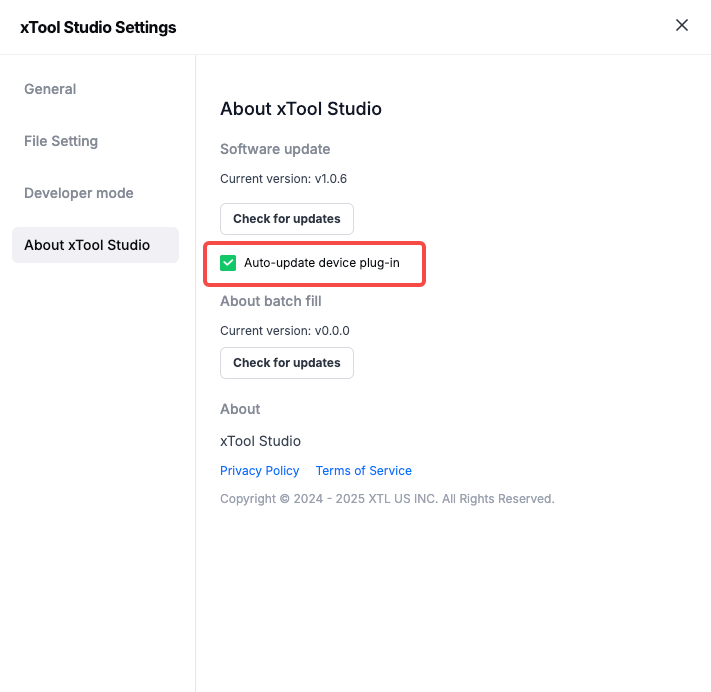
You can check if your Studio has the Auto-update device plug-in selected in the Settings.
- Find Settings.
You can open the software settings window in either of the following ways:
- On the homepage, choose Settings in the upper left corner of the main toolbar.
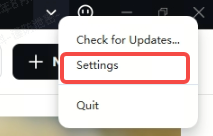
- On the project page, choose Settings from the upper left corner of the main menu.
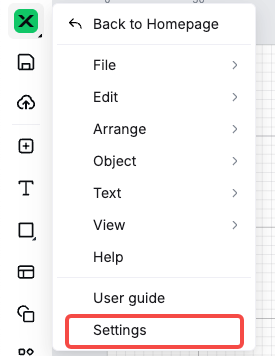
- Click About xTool Studio, and find the option of Auto-update device plug-in.
Note: If you have multiple machines, the software will upgrade the plug-ins for each independently, it will not conflict with each other.